
Seeing an “IP Address Exceeds” error in PK67 can interrupt your game access and stop you from entering the game lobby. This problem usually appears when too many actions, devices, or accounts are connected through the same internet IP address.
For players, this error feels confusing because the app can open normally, but the login, lobby entry, or game room access gets blocked. The good thing is that this issue is often related to network usage, device connections, or account activity, so you can check and fix it step by step.
In this guide, we will explain what the PK67 IP Address Exceeds error means, why it happens, and what you can do to restore smoother access.
What Does “IP Address Exceeds” Mean in PK67?
The IP Address Exceeds error means that the network IP address you are using has reached the allowed connection or activity limit.
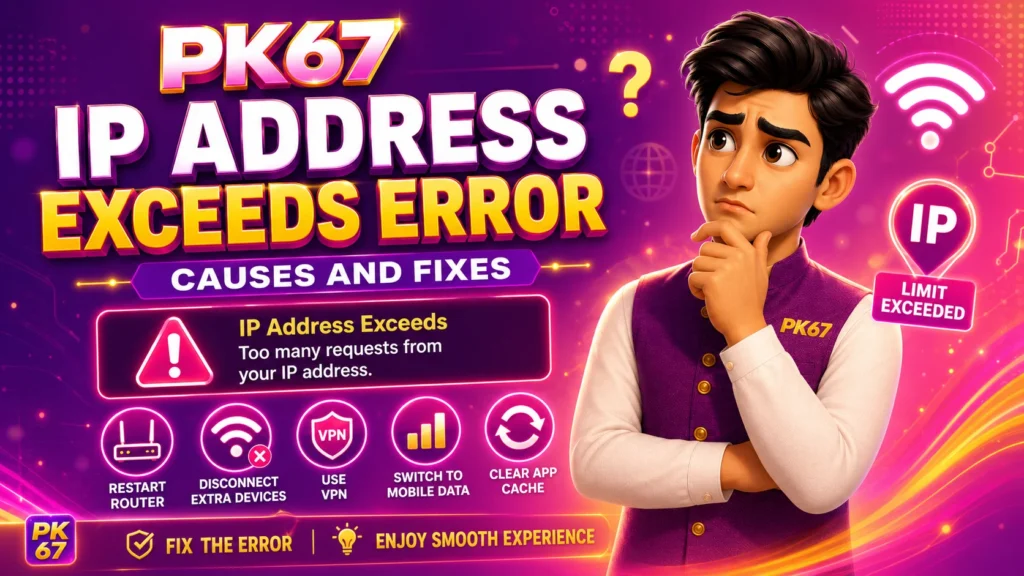
An IP address is like the online address of your internet connection. When several phones, accounts, or repeated login attempts use the same IP address, PK67 can block extra access to control misuse, reduce abnormal activity, and protect the platform.
This error usually appears during:
- Login
- Game lobby entry
- Game room access
- Account switching
- Repeated app opening
- Multiple devices using the same Wi-Fi
It does not always mean your account is banned. In many cases, it is a temporary network-related restriction.
Main Causes of PK67 IP Address Exceeds Error
There are several common reasons why this error appears.
1. Too Many Devices on the Same Network
If several phones are using the same Wi-Fi connection to open PK67, the system can detect too many requests from one IP address.
This often happens in:
- Shared home Wi-Fi
- Shop Wi-Fi
- Office Wi-Fi
- Hostel Wi-Fi
- Public internet connections
When many users enter PK67 from one network, the IP limit gets triggered.
2. Multiple Accounts Using One IP
Using several PK67 accounts from the same internet connection can also trigger this warning. Platforms often limit repeated account activity from one IP to prevent account abuse.
If you switch accounts too often, log in and out repeatedly, or use several accounts on one network, the error appears more easily.
3. Repeated Login Attempts
Entering the wrong password many times or refreshing the login page repeatedly creates too many requests from the same IP address.
The system treats this as unusual activity and blocks further access for a period of time.
4. Network IP Conflict
Some routers assign IP addresses poorly when too many devices are connected. This creates network conflict and unstable access.
In this situation, PK67 receives abnormal connection signals from your network and shows the IP Address Exceeds error.
5. Public or Shared Wi-Fi
Public Wi-Fi networks are used by many people at the same time. If other users on the same network also open PK67 or similar apps, the shared IP address reaches the limit faster.
This is common in cafes, shops, hostels, and gaming rooms.
6. Router or ISP Issue
Sometimes the issue comes from your internet provider or router. A weak router, unstable connection, or overloaded network creates repeated connection requests and triggers the warning.
How to Fix PK67 IP Address Exceeds Error
Use the following steps one by one. Start with the simple fixes before changing your network.
1. Close PK67 and Wait for a Short Time
First, close PK67 completely and stop opening it again and again.
Wait for several minutes before trying to log in again. Repeated attempts make the IP restriction last longer.
2. Restart Your Router
Turn off your Wi-Fi router for a few minutes, then turn it on again. This refreshes your network connection and helps clear temporary IP conflicts.
After the router restarts, connect only one device first and open PK67 again.
3. Disconnect Extra Devices
If many phones are connected to the same Wi-Fi, disconnect the extra devices.
Keep only the device you are using for PK67 connected to the internet. This reduces the number of requests coming from the same IP address.
4. Switch to Mobile Data
If Wi-Fi keeps showing the error, switch to mobile data.
Mobile data gives your phone a different network route from shared Wi-Fi. This is one of the easiest ways to check whether the problem comes from your Wi-Fi IP address.
5. Avoid Switching Accounts Repeatedly
Do not log in and out of different accounts again and again on the same device or network.
Use your own account and keep the login activity normal. Frequent account switching increases the chance of IP-related restrictions.
6. Clear App Cache
App cache problems can also cause repeated loading or login attempts.
On Android, you can clear cache like this:
- Open phone settings.
- Go to Apps.
- Find PK67.
- Tap Storage.
- Tap Clear Cache.
- Open PK67 again.
Do not clear full app data unless you remember your login number and password.
7. Update to the Latest PK67 APK
Old app versions can create login, loading, and connection problems. Download and install the latest PK67 APK from your trusted download page.
After updating, open the app again and try entering the lobby.
8. Check for Unknown Wi-Fi Users
If your Wi-Fi is shared or not protected, unknown users can connect to it and increase network activity.
Change your Wi-Fi password and remove unknown devices from your router settings. This keeps your network cleaner and reduces IP limit problems.
9. Contact Customer Support
If the error stays after trying the steps above, contact PK67 customer support from the app or supported contact channel.
Prepare these details before contacting support:
- Your registered mobile number
- Screenshot of the error
- Time when the error appeared
- Device model
- Network type, such as Wi-Fi or mobile data
- Whether multiple devices used the same network
Do not share your OTP, password, wallet PIN, or private verification code with anyone.
What Not to Do
Some actions make the PK67 IP Address Exceeds error worse. Avoid these mistakes:
- Do not keep tapping the login button again and again.
- Do not use many accounts on one network.
- Do not use random public Wi-Fi for repeated login.
- Do not install modified or cracked PK67 APK files.
- Do not share your account with other users.
- Do not give your OTP or password to anyone claiming to fix the issue.
Keeping your account and network activity normal helps reduce this type of error.
How to Prevent This Error in the Future
To avoid the same issue again, follow these simple habits:
- Use one PK67 account on your own device.
- Avoid frequent account switching.
- Keep your internet connection stable.
- Use mobile data if shared Wi-Fi causes problems.
- Keep your PK67 APK updated.
- Do not connect too many devices to one Wi-Fi during gameplay.
- Protect your Wi-Fi password.
- Log out properly when you stop using the app.
These steps help keep your PK67 access smoother and reduce IP-related interruptions.
Final Words
The PK67 IP Address Exceeds error is usually caused by too many devices, repeated login attempts, shared Wi-Fi, account switching, or network IP conflicts.
Start with simple fixes: close the app, wait for a short time, restart your router, disconnect extra devices, and switch to mobile data. If the problem continues, clear the app cache, update the PK67 APK, and contact customer support with clear details.
Use your own account, keep your network stable, and avoid repeated account switching. These habits help you enjoy a smoother PK67 gaming experience with fewer access problems.